 |
Core2 for AWS IoT EduKit BSP 1.5.1
|
|
Core2 for AWS IoT EduKit BSP 1.5.1
|
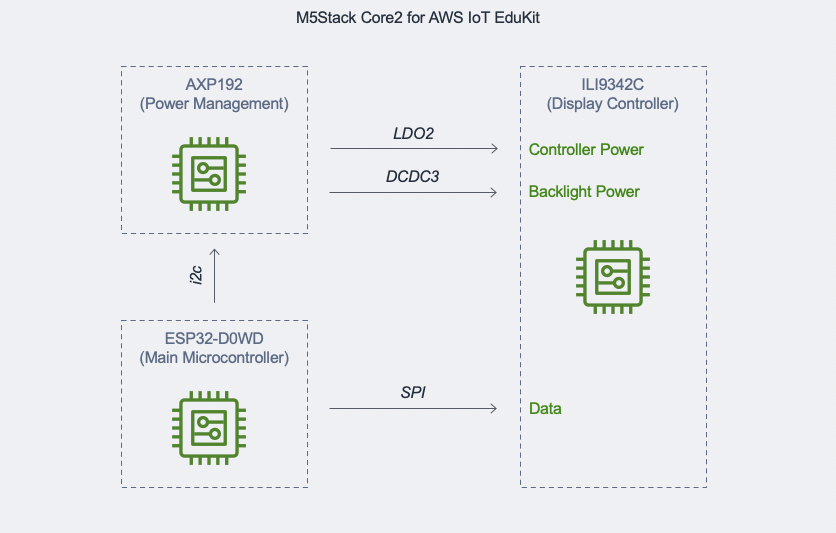
The display screen is driven by the ILI9342C over SPI bus. The driver for ILI9342C display controller is the same as the ILI9341. The Core2 for AWS IoT EduKit BSP uses the LVGL library to interact with the ILI9342C display driver. For the documentation and API reference of the LVGL library used in the Core2 for AWS IoT EduKit BSP, visit https://docs.lvgl.io/7.11/index.html.
Before using the LVGL APIs to write to the screen, initialize the display with Core2ForAWS_Display_Init first. When performing any operations to the screen after initialization, the xGuiSemaphore FreeRTOS semaphore must be taken before calling the LVGL APIs, and released after.
To enable this feature using KConfig, use the command pio run --environment core2foraws --target menuconfig from within the root of the project directory in your PlatformIO terminal window and go to the menu Component Config --> Core2 for AWS features to set the features you want to enable.
The following example initializes the Core2 for AWS, which initializes the PMU for the battery and other user enabled hardware features — such as the ILI934 display controller and SPI bus. It then sets the screen brightness to 80, creates a LVGL label widget, sets the text of the label to "Hello World!", and aligns the label to the center of the screen.
 1.9.3
1.9.3